

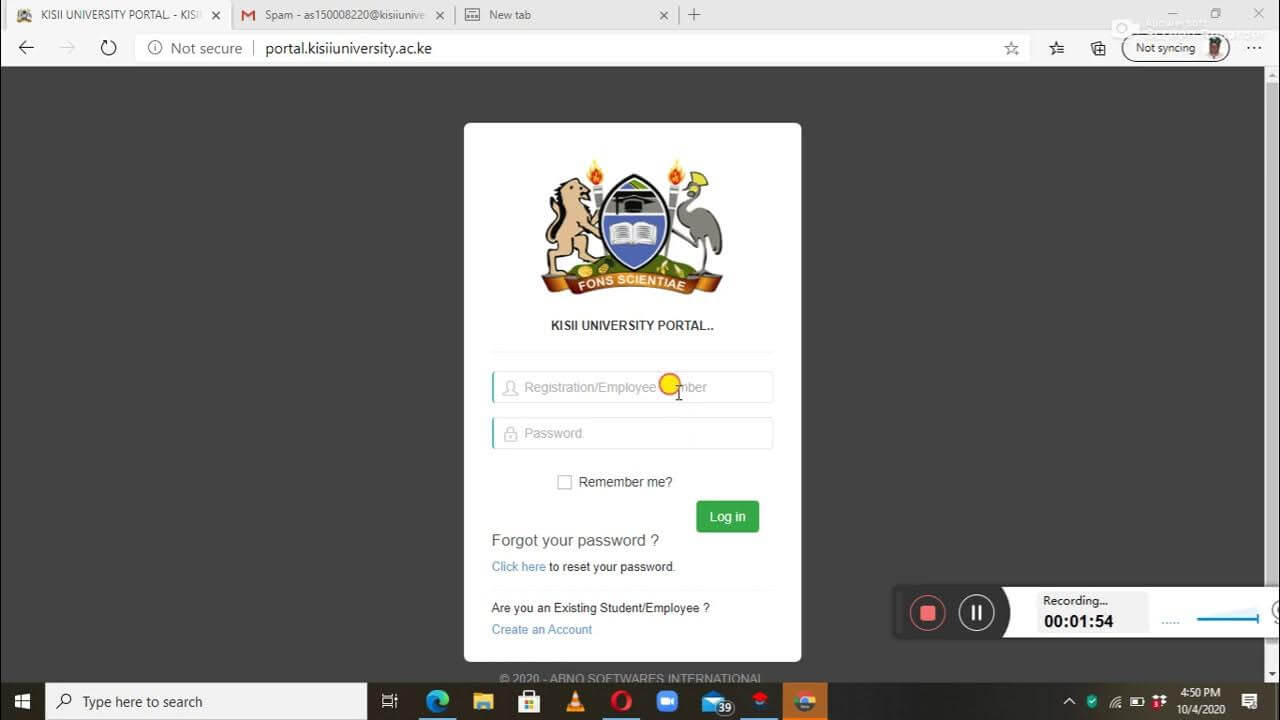
In today’s digital age, universities rely heavily on online systems to manage academic and administrative activities. One such system is the Kisii University Student Portal, an essential online platform designed to help students access important university services easily. The portal simplifies communication between students and the university administration while allowing learners to manage their academic information in one convenient place.
Overview of Kisii University
Kisii University is a public university located in Kisii County, Kenya. The institution offers a wide range of undergraduate, postgraduate, and diploma programs across various disciplines including education, business, health sciences, social sciences, and information technology. To support its growing student population, the university provides a digital student portal that allows learners to manage their academic and personal records online.
What is the Kisii University Student Portal?
The Kisii University Student Portal is a secure online system that allows registered students to access university services from anywhere with an internet connection. It serves as the central hub where students can perform academic and administrative tasks without needing to visit campus offices physically.
Through the portal, students can view academic records, register for courses, check fee balances, download admission letters, and access exam results.
Key Features of the Student Portal
The Kisii University Student Portal offers several useful features that help students manage their studies efficiently.
1. Course Registration
Students can register for their semester units through the portal. This ensures that the university records the courses they are taking each semester.
2. Fee Management
The portal allows students to:
- Check their fee balance
- View payment history
- Confirm fee payments
This helps students track their financial obligations with the university.
3. Examination Results
Students can easily view and download their exam results once they are released by the university. This eliminates the need to visit departmental offices.
4. Academic Records
The portal stores important academic information such as:
- Unit registration details
- Academic transcripts
- Semester results
5. Personal Profile Management
Students can update personal information including contact details, ensuring the university has accurate records.
6. Access to Important Documents
The portal also allows students to download documents such as:
- Admission letters
- Fee statements
- Academic transcripts
Benefits of Using the Student Portal
The Kisii University Student Portal offers several advantages:
Convenience: Students can access services anytime and from any location.
Time-saving: Many processes that previously required visiting administrative offices can now be completed online.
Transparency: Students can easily monitor academic progress and financial records.
Improved communication: Important announcements and updates can be shared through the portal.
How to Access the Kisii University Student Portal
To log in to the portal, students typically follow these steps:
- Visit the official Kisii University website.
- Navigate to the Student Portal section.
- Enter your student registration number and password.
- Click Login to access your dashboard.
New students usually receive login credentials during the admission process.
Common Issues and Solutions
Sometimes students may face login problems. Here are common solutions:
- Forgot Password: Use the password reset option on the portal.
- Incorrect Credentials: Ensure the registration number is entered correctly.
- Portal Downtime: Try again later if the system is under maintenance.
If problems persist, students can contact the university ICT support team.
Conclusion
The Kisii University Student Portal plays a vital role in modernizing university services and improving the student experience. By offering online access to academic records, fee information, course registration, and examination results, the portal makes it easier for students to manage their education efficiently. As digital learning systems continue to evolve, platforms like this will remain essential tools for both students and university administrators.
(FAQs) about the Kisii University Student Portal
1. What is the Kisii University Student Portal?
The Kisii University Student Portal is an online platform provided by Kisii University that allows students to access academic and administrative services such as course registration, fee statements, exam results, and personal information management.
2. Who can use the Kisii University Student Portal?
The portal is designed for registered students of Kisii University, including undergraduate, postgraduate, and diploma students.
3. How do I log in to the Kisii University Student Portal?
To log in, visit the official Kisii University website, navigate to the student portal section, and enter your registration number and password provided during admission.
Also Read: The Mystery of Juan Ramirez Montroso: Internet Myth or Real Person?
4. What should I do if I forget my portal password?
If you forget your password, you can use the “Forgot Password” option on the login page to reset it. Alternatively, you can contact the university’s ICT support team for assistance.
5. Can I register for courses through the student portal?
Yes, students can register for their semester units or courses through the portal. This ensures that the university records the subjects a student will study during the semester.
6. How can I check my exam results on the portal?
After logging in, go to the Results or Academic Records section. Once results are released by the university, they will be available for viewing and downloading.
7. Can I view my fee statement on the portal?
Yes, the portal allows students to check their fee balance, payment history, and download fee statements.
8. Is the Kisii University Student Portal accessible on mobile devices?
Yes, the portal can be accessed through smartphones, tablets, and computers as long as you have a stable internet connection.
9. What should I do if the portal is not working?
If the portal is not loading or showing errors, try the following:
- Check your internet connection
- Clear your browser cache
- Try logging in later if the system is under maintenance
If the issue continues, contact the university ICT department.
10. Can I update my personal information on the portal?
Yes, students can update certain personal details such as contact information through the portal to ensure the university records remain accurate.