

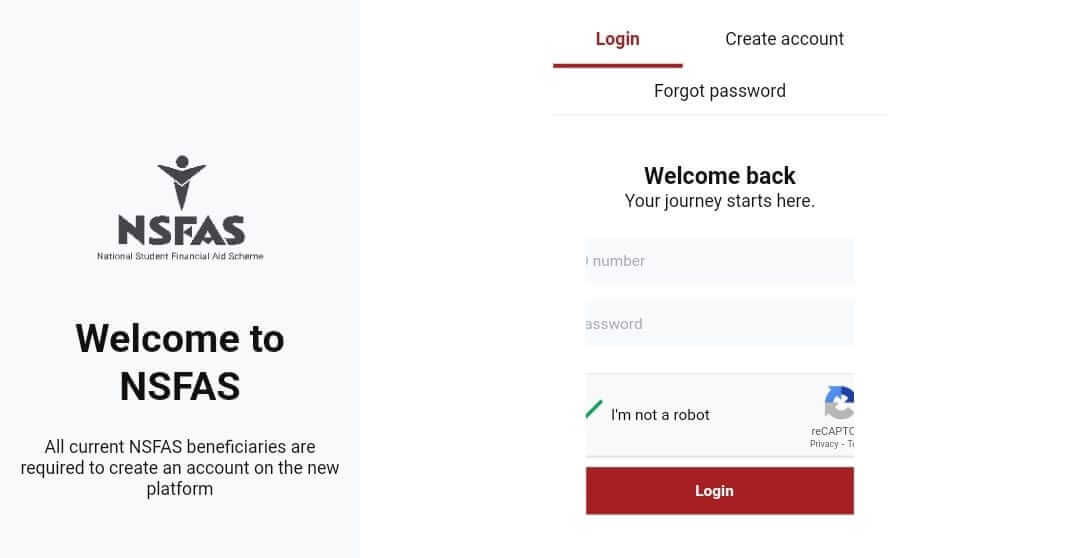
The Mynsfas Portal is the official online platform of the National Student Financial Aid Scheme (NSFAS). It is designed to help South African students apply for financial aid, track their application status, and manage their funding information in one secure and convenient place.
This article provides a complete overview of the Mynsfas Portal, including its features, benefits, and how to use it effectively.
What is the Mynsfas Portal?
The Mynsfas Portal is an online student account system created by NSFAS to simplify the financial aid process. Instead of visiting offices or sending paper documents, students can now complete most processes digitally.
The portal allows students to:
- Apply for NSFAS funding
- Upload required documents
- Check application status
- Update personal details
- Track payments and allowances
- Appeal funding decisions
It is accessible via the official NSFAS website and can be used on a computer or smartphone.
Key Features of the Mynsfas Portal
1. Online Application System
Students can submit their funding applications directly through the portal. The system guides applicants step by step, ensuring all required information is provided.
2. Document Upload
Applicants can upload certified copies of required documents such as:
- South African ID
- Proof of income
- Academic records
- Consent forms
3. Application Status Tracking
After submission, students can log in anytime to check whether their application is:
- Submitted
- Under review
- Approved
- Rejected
4. Funding and Payment Information
Approved students can track:
- Tuition payments
- Accommodation allowances
- Living allowances
- Book allowances
5. Appeals Process
If funding is rejected, students can submit an appeal directly through the portal within the allowed timeframe.
How to Register on the Mynsfas Portal
Here is a simple step-by-step guide:
- Visit the official NSFAS website.
- Click on “myNSFAS”.
- Select “Register”.
- Enter your ID number, full name, email address, and cellphone number.
- Create a secure password.
- Verify your account using the OTP sent to your phone or email.
Once registered, you can log in anytime using your ID number and password.
Who Can Use the Mynsfas Portal?
The portal is mainly for:
- South African citizens
- Students from low-income households
- Students registered or planning to register at public universities or TVET colleges
- Applicants who meet NSFAS financial eligibility criteria
Benefits of the Mynsfas Portal
The portal offers several advantages:
- ✅ 24/7 online access
- ✅ Faster communication with NSFAS
- ✅ Reduced paperwork
- ✅ Secure document storage
- ✅ Easy tracking of funding progress
It ensures transparency and keeps students informed throughout the funding process.
Common Issues and Solutions
Some students experience challenges such as:
Forgotten Password
→ Use the “Forgot Password” option on the login page to reset it.
OTP Not Received
→ Ensure your cellphone number and email address are correct and active.
Application Status Not Updating
→ Processing times may vary. Check regularly and ensure all documents are submitted.
Conclusion
The Mynsfas Portal is an essential digital tool for students seeking financial assistance through the National Student Financial Aid Scheme. It simplifies the entire funding process — from application to payment tracking — making it easier, faster, and more transparent.
(FAQs) – Mynsfas Portal
1. What is the Mynsfas Portal?
The Mynsfas Portal is the official online platform where students can apply for NSFAS funding, upload documents, check their application status, and manage their financial aid information.
2. Who qualifies for NSFAS funding?
To qualify, you must:
- Be a South African citizen
- Be registered or planning to register at a public university or TVET college
- Come from a household that meets the NSFAS income threshold
- Meet academic progression requirements (for continuing students)
3. How do I create a Mynsfas account?
To register:
- Visit the official NSFAS website.
- Click on “myNSFAS”.
- Select “Register”.
- Enter your ID number, contact details, and create a password.
- Verify your account using the OTP sent to your phone or email.
Also Read: Sheree Burton: A Voice of Strength, Leadership, and Community Impact
4. What documents are required for the application?
You may need to upload:
- A certified copy of your South African ID
- Proof of income (parent/guardian or your own)
- Consent form
- Academic transcripts (if applicable)
Make sure all documents are clear and certified where required.
5. How can I check my application status?
Log in to your Mynsfas account and go to the “Track Funding Progress” section. Your status may show as:
- Submitted
- Under Review
- Approved
- Rejected
6. What should I do if I forget my password?
Click on “Forgot Password” on the login page and follow the steps to reset it using your registered email or cellphone number.
7. Can I update my personal information on the portal?
Yes. After logging in, you can update certain details such as your contact information. However, some changes may require supporting documents.
8. How long does it take for NSFAS to process an application?
Processing times vary depending on the application volume. It is recommended to apply early and regularly check your portal for updates.
9. What happens if my application is rejected?
If your application is rejected, you may submit an appeal through the Mynsfas Portal within the specified appeal period. Make sure to provide supporting documents for your appeal.
10. How will I know if my funding has been approved?
You will receive:
- A notification on your Mynsfas Portal
- An SMS and/or email confirmation
Always keep your contact details updated to avoid missing important messages
11. Does NSFAS cover accommodation and allowances?
Yes, NSFAS funding may cover:
- Tuition fees
- Accommodation
- Transport (where applicable)
- Living allowances
- Learning materials
The exact benefits depend on your institution and funding guidelines.
12. Is the Mynsfas Portal free to use?
Yes, creating and using a Mynsfas account is completely free. Students should only use the official NSFAS website to avoid scams.