

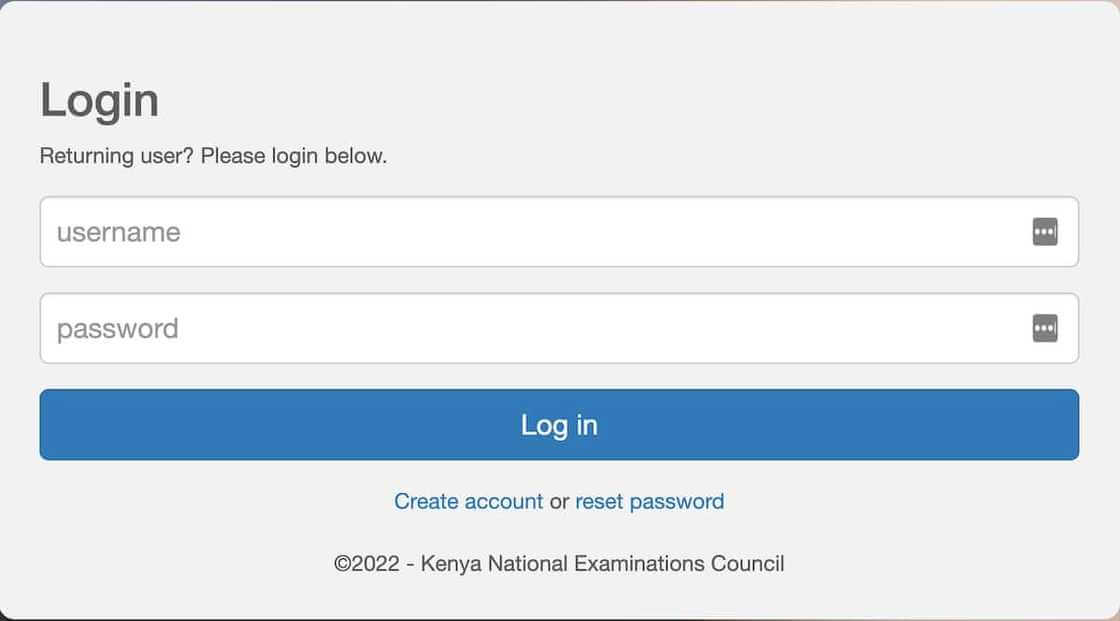
The Kenya National Examinations Council (KNEC) plays a crucial role in managing national examinations in Kenya. To improve efficiency and digital access to teacher-related services, KNEC introduced the CP2 Portal, an online platform designed primarily for teachers and school administrators. The portal simplifies tasks such as project submission, teacher registration, and management of assessment processes.
This article explains what the KNEC CP2 Portal is, its features, how to access it, and why it is important for teachers and institutions.
What is the KNEC CP2 Portal?
The KNEC CP2 Portal is an online system created by the Kenya National Examinations Council to support the management of Competency-Based Curriculum (CBC) assessments and projects. It allows teachers to upload, manage, and track learner project scores and assessments in a centralized digital platform.
The portal is especially useful for teachers handling school-based assessments under Kenya’s CBC education system.
Key Features of the KNEC CP2 Portal
1. Teacher Registration and Login
Teachers can create accounts or log in using their credentials to access assessment tools and services.
2. Uploading Learner Projects
The portal allows teachers to upload learner project marks and assessment records directly to the KNEC system.
3. Assessment Management
Teachers can manage continuous assessments, track learner performance, and ensure accurate submission of marks.
4. School Administration Tools
School administrators can monitor submissions, verify teacher entries, and maintain records for compliance with KNEC requirements.
5. Secure Data Handling
The portal ensures that student and school data are handled securely, reducing paperwork and manual errors.
How to Access the KNEC CP2 Portal
Follow these steps to access the portal:
- Visit the official KNEC CP2 Portal website.
- Enter your username and password provided by your school or KNEC.
- Complete verification if required.
- Access the dashboard to upload projects, view assessments, or manage submissions.
Teachers who do not yet have an account must first register through their institution or obtain credentials from the school administration.
Benefits of the KNEC CP2 Portal
Improved Efficiency
The portal reduces paperwork and manual data entry, saving time for teachers and administrators.
Centralized Assessment System
All project scores and assessments are stored in one secure platform managed by Kenya National Examinations Council.
Better Accuracy
Digital submission reduces errors that can occur during manual recording or reporting of marks.
Real-Time Updates
Teachers and institutions can track submission status and make corrections quickly if necessary.
Common Issues and Solutions
Login Problems
Teachers should confirm their credentials or reset their passwords through the portal.
Submission Errors
Ensure all required fields are filled correctly before submitting learner marks.
Portal Access Issues
Try clearing browser cache or using a different browser if the portal does not load properly.
Conclusion
The KNEC CP2 Portal is an important digital platform designed to simplify the management of school-based assessments in Kenya. By allowing teachers to upload and manage learner projects online, it enhances efficiency, accuracy, and transparency in the examination process.
As Kenya continues to adopt modern education systems such as CBC, tools like the CP2 Portal help schools and educators streamline their work while ensuring that assessment data is properly recorded and managed by the Kenya National Examinations Council.
(FAQs) About the KNEC CP2 Portal
1. What is the KNEC CP2 Portal?
The KNEC CP2 Portal is an online platform developed by the Kenya National Examinations Council to help teachers and schools manage Competency-Based Curriculum (CBC) assessments and learner project submissions digitally.
2. Who can use the KNEC CP2 Portal?
The portal is mainly used by:
- Teachers responsible for learner assessments
- School administrators
- Education institutions registered with Kenya National Examinations Council
Only authorized users with login credentials can access the system.
3. How do I log in to the KNEC CP2 Portal?
To log in:
- Visit the official CP2 Portal website.
- Enter your username and password.
- Click the login button to access your dashboard.
If you do not have login details, contact your school administrator.
Also Read: Meet Madison Alworth: The Journalist Bridging Business News and Real‑World Stories
4. What is the main purpose of the CP2 Portal?
The main purpose of the portal is to allow teachers to:
- Upload learner project marks
- Manage school-based assessments
- Track student performance under the CBC system.
5. What should I do if I forget my CP2 Portal password?
If you forget your password:
- Click on the “Forgot Password” option on the login page.
- Enter your registered email or username.
- Follow the instructions to reset your password.
6. Can teachers edit submitted marks on the CP2 Portal?
In some cases, teachers can edit submissions before final confirmation. However, once the data is officially submitted and verified, changes may require approval from the school administration or Kenya National Examinations Council.
7. Is the KNEC CP2 Portal secure?
Yes. The portal uses secure login systems to protect teacher and student data. Only authorized users can access the platform.
8. Why is the CP2 Portal important for teachers?
The portal helps teachers:
- Reduce paperwork
- Submit assessments online
- Track learner progress efficiently
- Ensure accurate reporting of results.
9. What should I do if the CP2 Portal is not working?
If the portal is not working:
- Check your internet connection.
- Try using a different browser.
- Clear your browser cache.
- Contact your school ICT administrator if the problem persists.
10. Can schools track learner performance through the CP2 Portal?
Yes. The system allows schools to monitor learner assessments and maintain records that align with the Competency-Based Curriculum (CBC) evaluation requirements managed by Kenya National Examinations Council.