

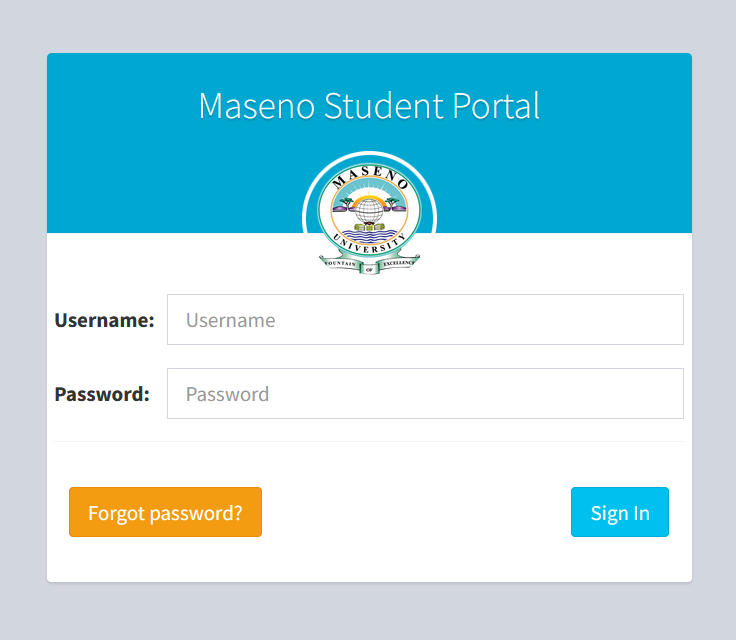
The Maseno Student Portal is an online platform developed by Maseno University to help students manage their academic activities efficiently. The portal acts as a central hub where students can access important services such as course registration, fee statements, examination results, and academic records. By digitizing these processes, the university makes it easier for students to handle administrative tasks without visiting offices physically.
What is the Maseno Student Portal?
The Maseno Student Portal is a secure web-based system designed specifically for students of Maseno University. It allows students to log in using their personal credentials and access various academic and administrative services. The portal supports both undergraduate and postgraduate students and plays an important role in simplifying communication between students and the university administration.
Key Features of the Maseno Student Portal
1. Course Registration
One of the most important functions of the portal is course registration. Students can select and register for their units each semester directly through the portal. This ensures that academic records are updated instantly and helps departments track enrollment.
2. Fee Management
Students can view their fee balances, download fee statements, and confirm payments. This feature helps students stay informed about their financial status and avoid registration problems due to unpaid fees.
3. Examination Results
The portal provides access to examination results once they are officially released by the university. Students can easily check their grades for each semester without waiting for printed results.
4. Academic Records
Students can access their academic history, including registered courses and completed units. This helps them monitor their academic progress throughout their studies.
5. Timetable and Announcements
The portal often includes academic timetables and important announcements from the university. This ensures students stay updated with class schedules and institutional updates.
How to Access the Maseno Student Portal
To access the portal, students typically follow these steps:
- Visit the official website of Maseno University.
- Navigate to the Student Portal section.
- Enter your student registration number and password.
- Click the login button to access your dashboard.
Once logged in, students can explore the various services available on the platform.
Benefits of the Maseno Student Portal
The portal offers several advantages for students:
- Convenience: Students can access services anytime and from anywhere.
- Efficiency: Administrative processes such as course registration and fee checking are faster.
- Transparency: Students can track their academic progress and financial records easily.
- Reduced paperwork: Most processes are handled digitally.
Common Challenges
While the portal is highly useful, students may sometimes experience issues such as forgotten passwords, login errors, or temporary system downtime. In such cases, students are usually advised to contact the university’s ICT support team for assistance.
Conclusion
The Maseno Student Portal plays a vital role in modernizing academic management at Maseno University. By providing a digital platform for key student services, the portal improves efficiency, saves time, and enhances communication between students and the institution. For students at Maseno University, understanding how to use the portal effectively is essential for managing their academic journey successfully.
(FAQs) about the Maseno Student Portal
1. What is the Maseno Student Portal?
The Maseno Student Portal is an online platform provided by Maseno University that allows students to manage academic and administrative activities such as course registration, fee payments, and checking exam results.
2. Who can use the Maseno Student Portal?
The portal is available to all registered students of Maseno University, including undergraduate, postgraduate, and continuing education students.
3. How do I access the Maseno Student Portal?
Students can access the portal by visiting the official website of Maseno University and navigating to the Student Portal section. After that, they must log in using their student registration number and password.
Also Read: Kaye Adams: The Warm Voice of British Daytime Television
4. What services are available on the portal?
The portal provides several services, including:
- Course registration
- Fee statement and payment status
- Examination results
- Academic records
- Timetable access
- University announcements
5. What should I do if I forget my password?
If you forget your password, you can use the “Forgot Password” option on the login page or contact the university’s ICT support team for assistance.
6. Can I register for courses through the portal?
Yes, students can register for their courses each semester through the portal. This helps ensure that their academic records are updated correctly.
7. How can I check my examination results?
Once results are officially released by the university, students can log in to the portal and view their grades in the examination results section.
8. Is the Maseno Student Portal accessible on mobile devices?
Yes, the portal can usually be accessed through smartphones, tablets, or computers with an internet connection.
9. What should I do if the portal is not working?
If the portal is temporarily unavailable, you should try again later. If the issue persists, contact the ICT support department at Maseno University.
10. Is the information on the portal secure?
Yes, the portal is designed with security features to protect students’ personal and academic information. Students should keep their login credentials private to maintain account security.